VWorks Setup Guide : Installing and setting up the VWorks software : Logging in and setting up the software

Logging in and setting up the software
Logging in the first time
To log in the VWorks software:
1
Start the VWorks software. To do this, double-click the VWorks icon on the Windows desktop.
 
2
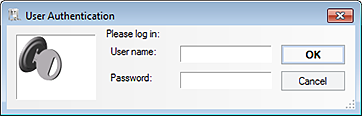
In the VWorks window that opens, click Log in on the toolbar.
 
The User Authentication dialog box opens.
 
3
Log in as administrator.
VWorks setup workflow
If you are setting up the software for the first time, use the following workflow:
 
If you have a Bravo Platform or Vertical Pipetting Station, specify the pipetting speed and accuracy.
If you have a labware storage device, such as the Labware MiniHub, manage the labware inventory.