|
1 Open the Labware Editor.
2 In the Labware Entries tab, select the labware from the list.
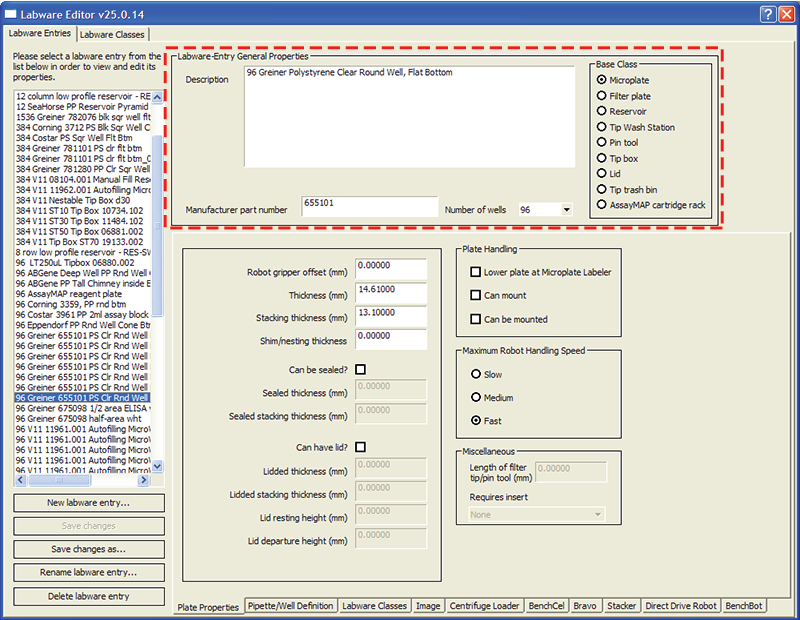
3 Under Labware-Entry General Properties, type a detailed description of the labware in the Description box.
4 In the Manufacturer part number box, type the appropriate number for your reference.
5 In the Number of wells list, select the number of wells in the microplate.
6 In the Base Class area, select one of the options.The option you select determines which Labware Editor properties are available. For example, when a base class of Microplate is selected, the Length of filter tip/pin tool (mm) property is unavailable.